
Copy Multiple Accounts
The ” Copy Multiple Accounts ” feature allows you to distribute an account across multiple reservations or transfer existing accounts to a master reservation.
This feature is particularly useful for group reservations where payments or services need to be split across multiple reservations or combined into a single reservation.
1. Prerequisites
Before you can use this feature:
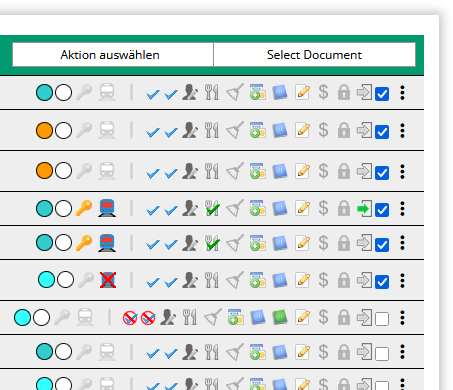
- Select the reservations you want.
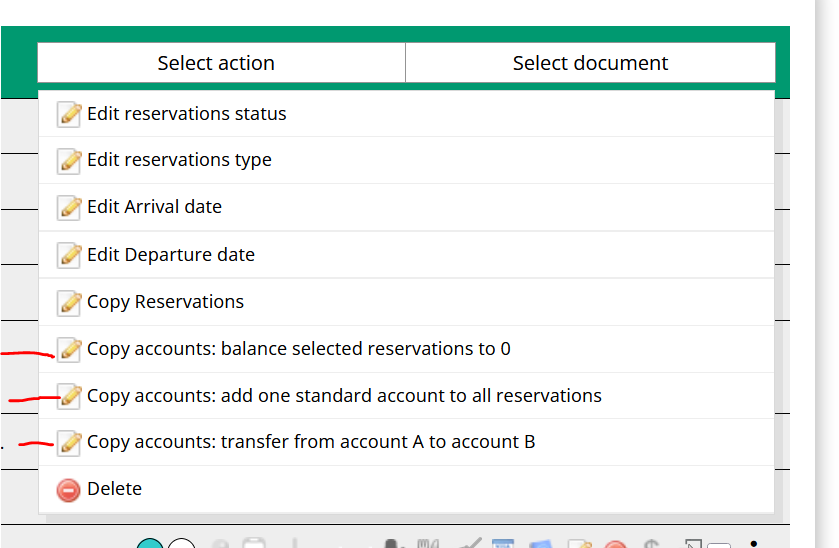
- Open the ” Select Action” menu.
- Click ” Copy Multiple Accounts.”
- There are three different modes:
- Settle Selected Reservations to a Balance of 0
- Add a default account to all reservations
- Transfer funds from Account A to Account B
- There are three different modes:
2. Available Modes
This feature offers three different modes.
2.1. Reset selected reservations to 0
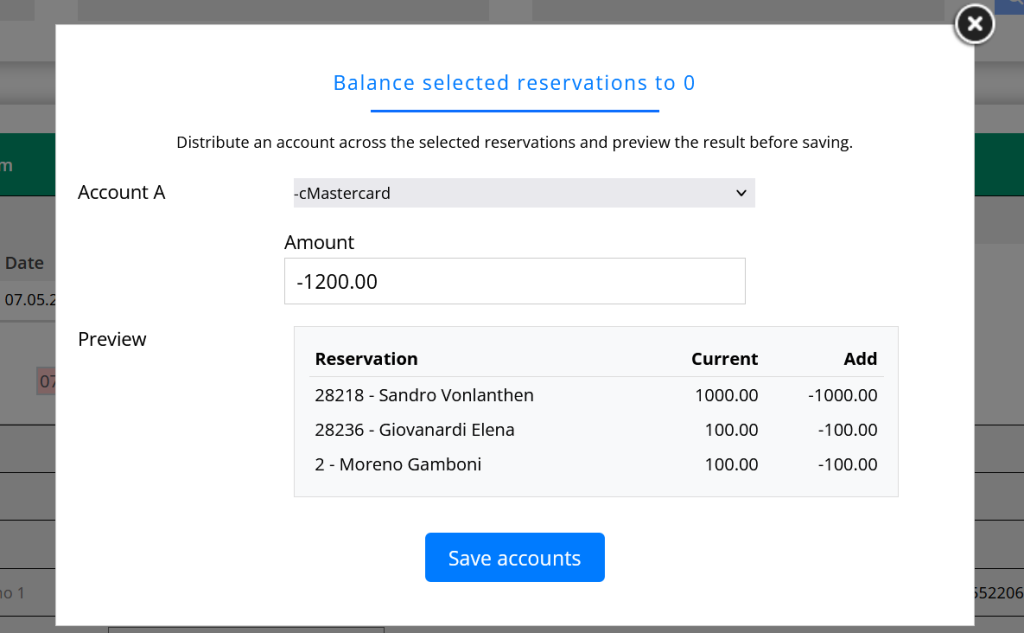
This mode automatically distributes a total amount across multiple reservations until each selected reservation is balanced to a zero account balance.
Procedure
- Select the account to which the amount should be posted (Account A).
- The total amount is automatically suggested. If necessary, you can adjust the value before saving.
- The preview automatically shows the amount allocated to each reservation.
- Click ” Save Accounts.”
Example
You have received a lump-sum payment of CHF 1,200.00.
Enter the amount -1,200.00.
CASY automatically distributes the amount across all selected reservations until all outstanding balances are settled.
This mode is particularly useful when a group bill has been paid in full and the payment is to be automatically distributed among all associated individual reservations.
2.2. Add a default account to all reservations
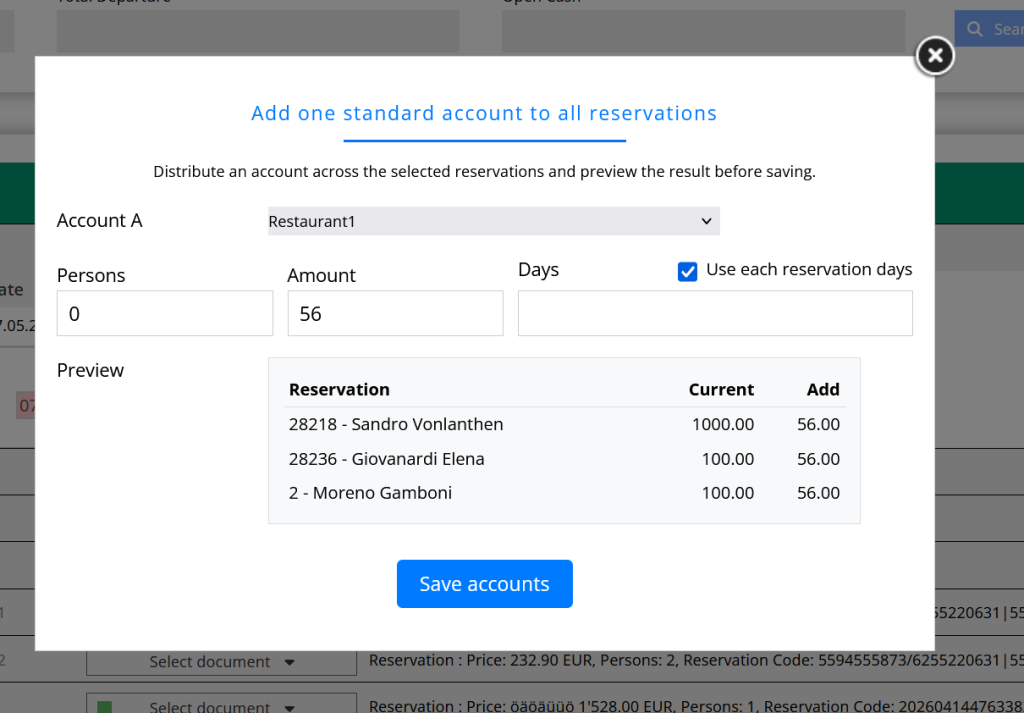
In this mode, the same account is added to each selected reservation.
Procedure
- Select the desired account (Account A).
- Enter the amount and—if desired—the number of people and days.
- If the account is billed per day of stay, you can enable the “Use days from each reservation” option. CASY will then automatically use the number of days from the respective reservation.
- Check the preview.
- Click ” Save Accounts.”
Typical Use Cases
- Add breakfast for all guests
- Post visitor fees or additional services
- Apply the same payment to all reservations
- Add a standard item for an entire group
The amount you enter will be applied unchanged to each selected reservation.
5. Transfer from Account A to Account B
In this mode, all remaining amounts for a group are transferred to a master reservation.
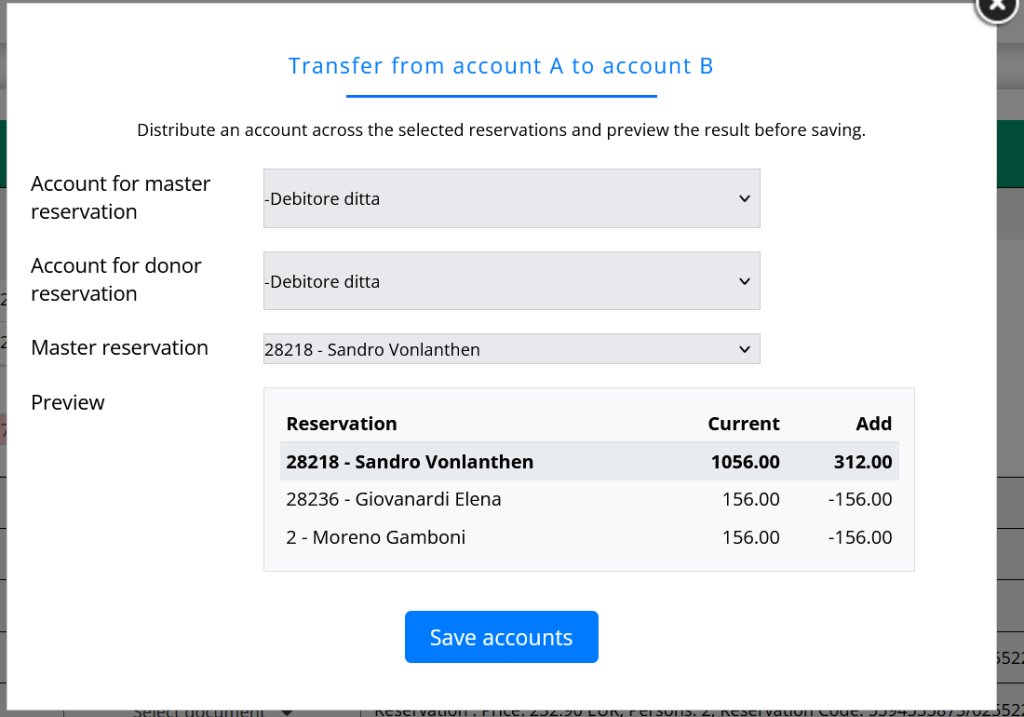
Procedure
- Select
- Account A – the account containing the individual reservations to be transferred.
- Account B – the destination account for the master reservation.
- Select the desired master reservation.
- Check the preview.
- Click ” Save Accounts.”
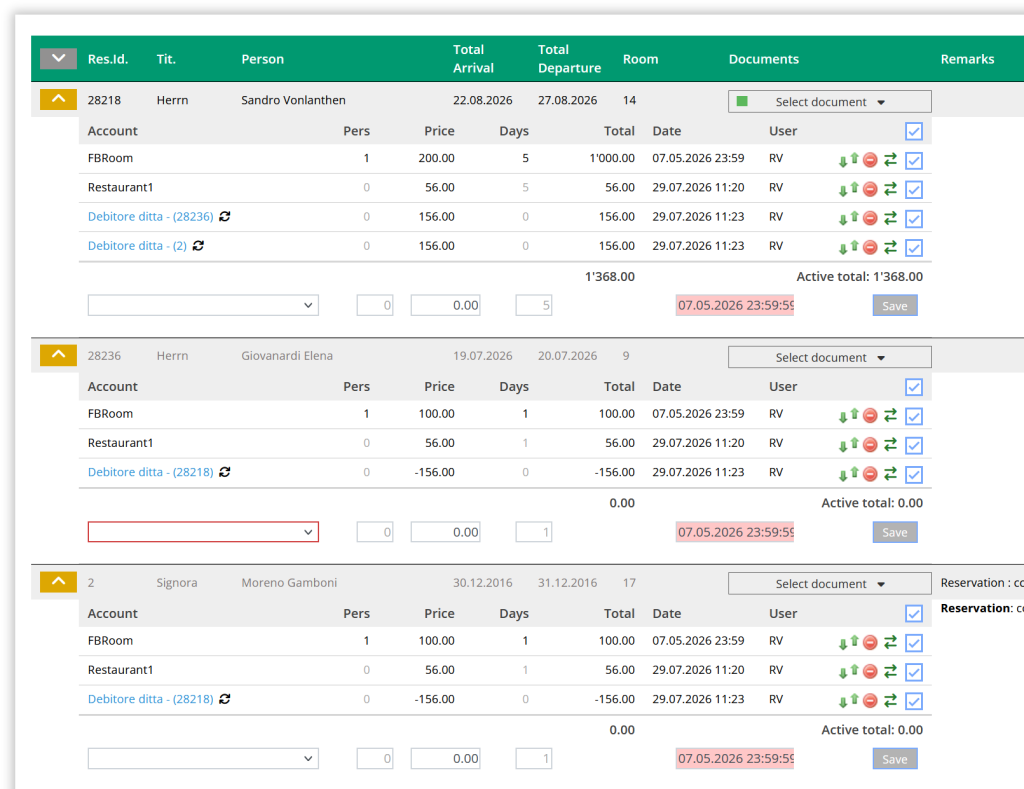
Result
- All positive and negative remaining balances from the selected reservations are transferred to the master reservation.
- The individual reservations are set to 0.
- The entire remaining amount is then credited to the master reservation account.
- For each account, the reservation ID from which the amount was transferred is displayed.
Typical Use Cases
This mode is particularly suitable for group bookings when:
- so that, in the end, only the main reservation is responsible for paying the final bill,
- all outstanding payments should be consolidated into a single reservation,
- remaining balances or outstanding amounts should be settled centrally.
Notes
- Only the selected reservations will be taken into account.
- The preview updates automatically as soon as you change the mode or your input.
- The changes will not be applied until you click ” Save Accounts.”


